
E-Signature Done Right: Fast, Legal, and Secure
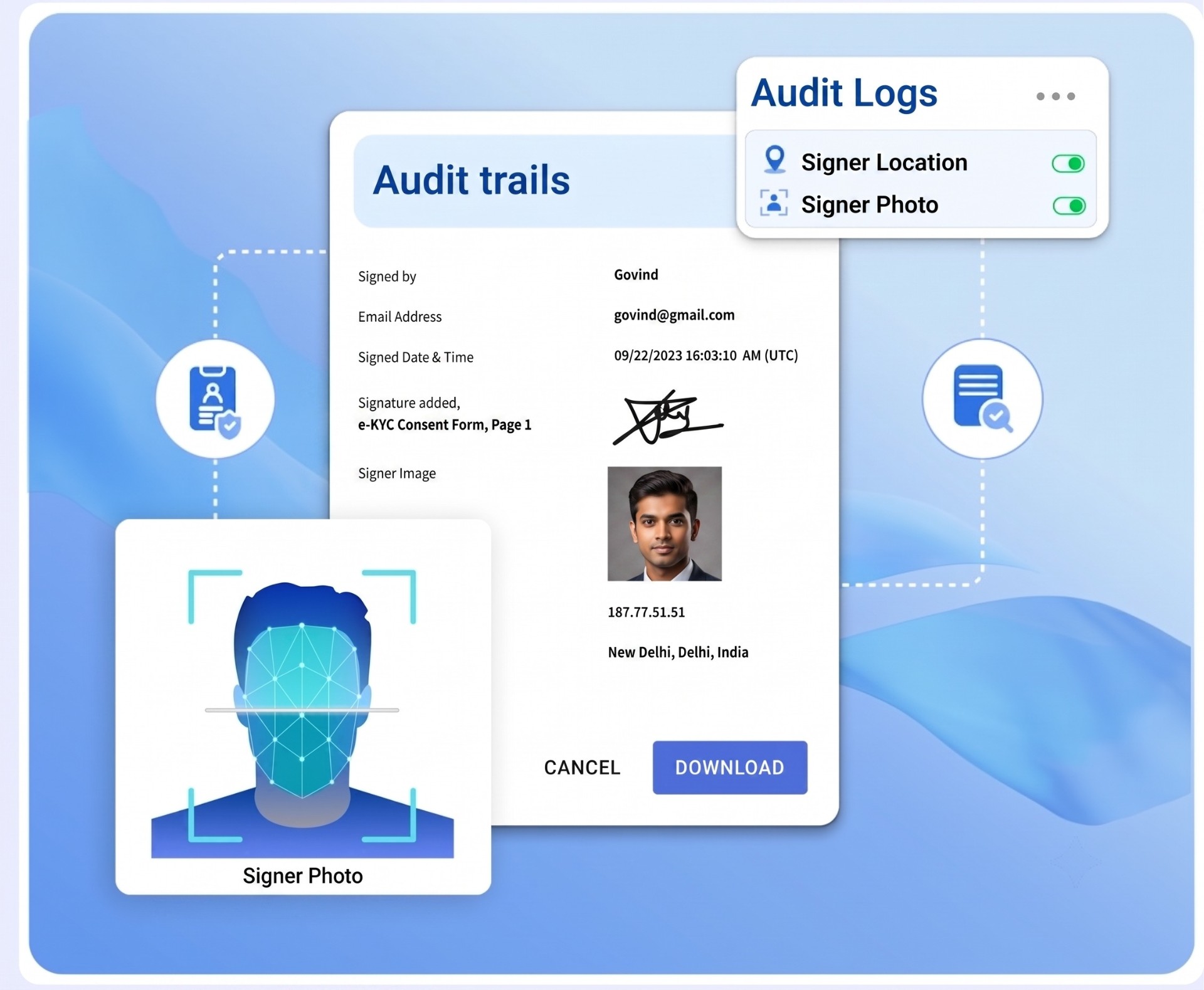
Every document signed on eSignRight comes with a complete audit trail. Who signed, when, from where, and on what device. Built for teams who need more than "they clicked yes."
Trusted by 300+ teams
Trusted by teams like


"Did they actually sign this?"
It's the question that comes up months later, during an audit, a dispute, or when a vendor claims they "never agreed to that." Email plus PDF plus "reply to confirm" gives you no real answer. No timestamp you can rely on. No proof of identity.
How this holds up when it matters.
Under the Information Technology Act, 2000, courts look for three things when a signature is challenged: authenticity, integrity, and a reliable timestamp. eSignRight's audit trail, IP, device, timestamp, optional photo, is built to answer exactly those questions.
Electronic records get the same legal recognition as paper.
A properly authenticated electronic signature equals a handwritten one.
Contracts formed electronically, NDAs, offer letters, vendor agreements, are enforceable exactly like paper.
Flexible Document Workflows
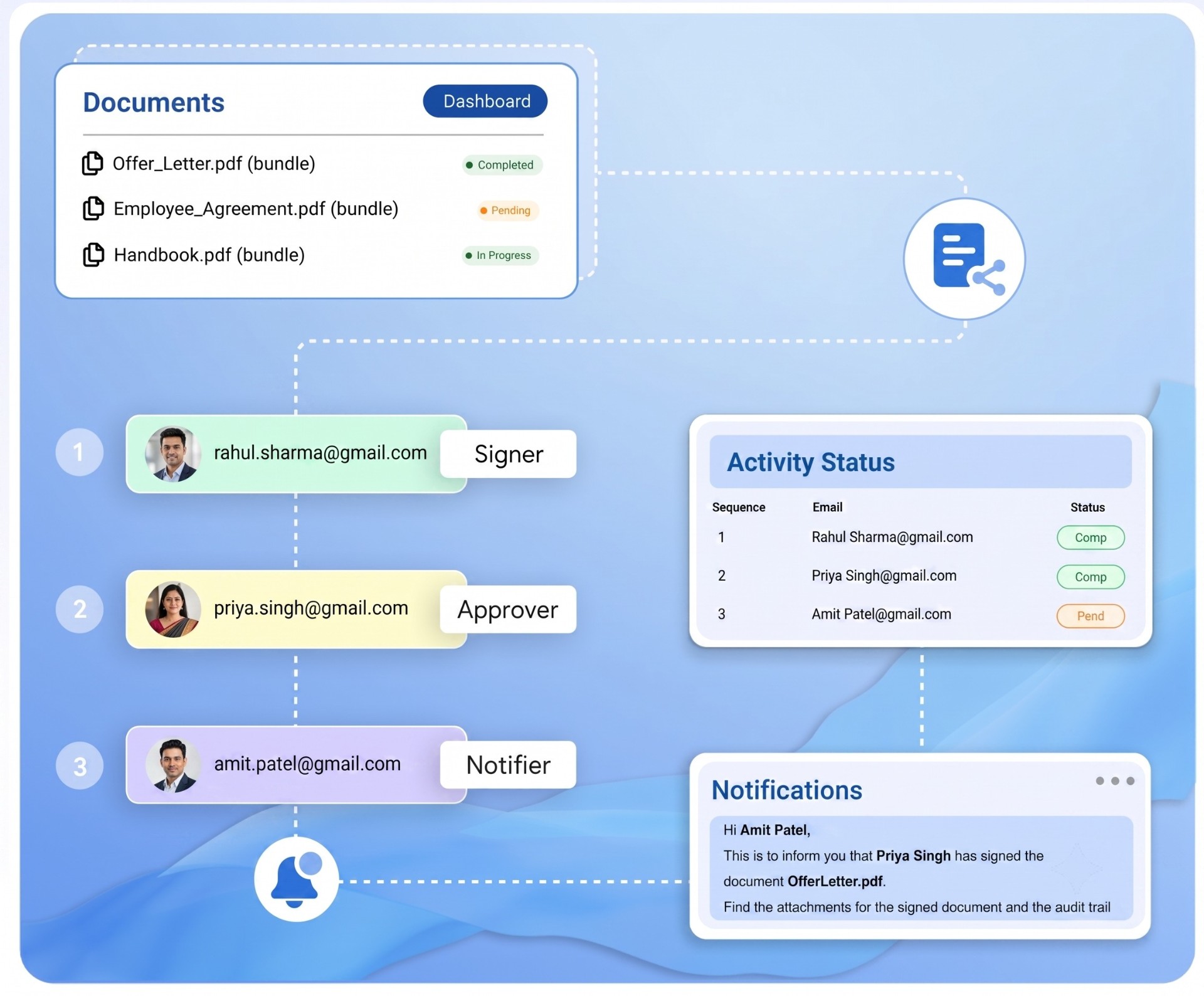
- Manage users, roles, and document access from one dashboard
- Monitor document status in real time with intelligent alerts
- Track activity and performance by team or individual
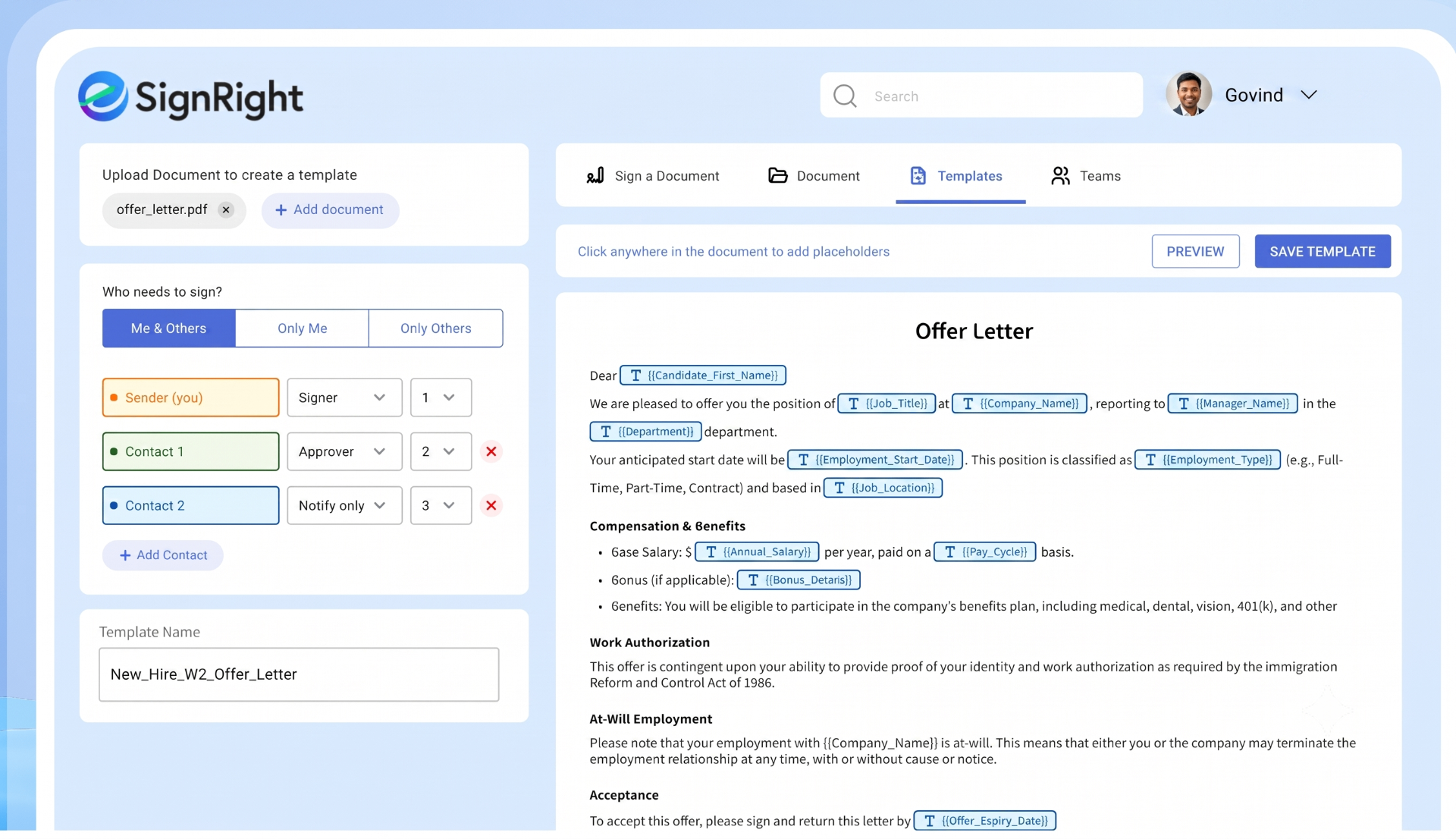
Custom Workflows for Teams
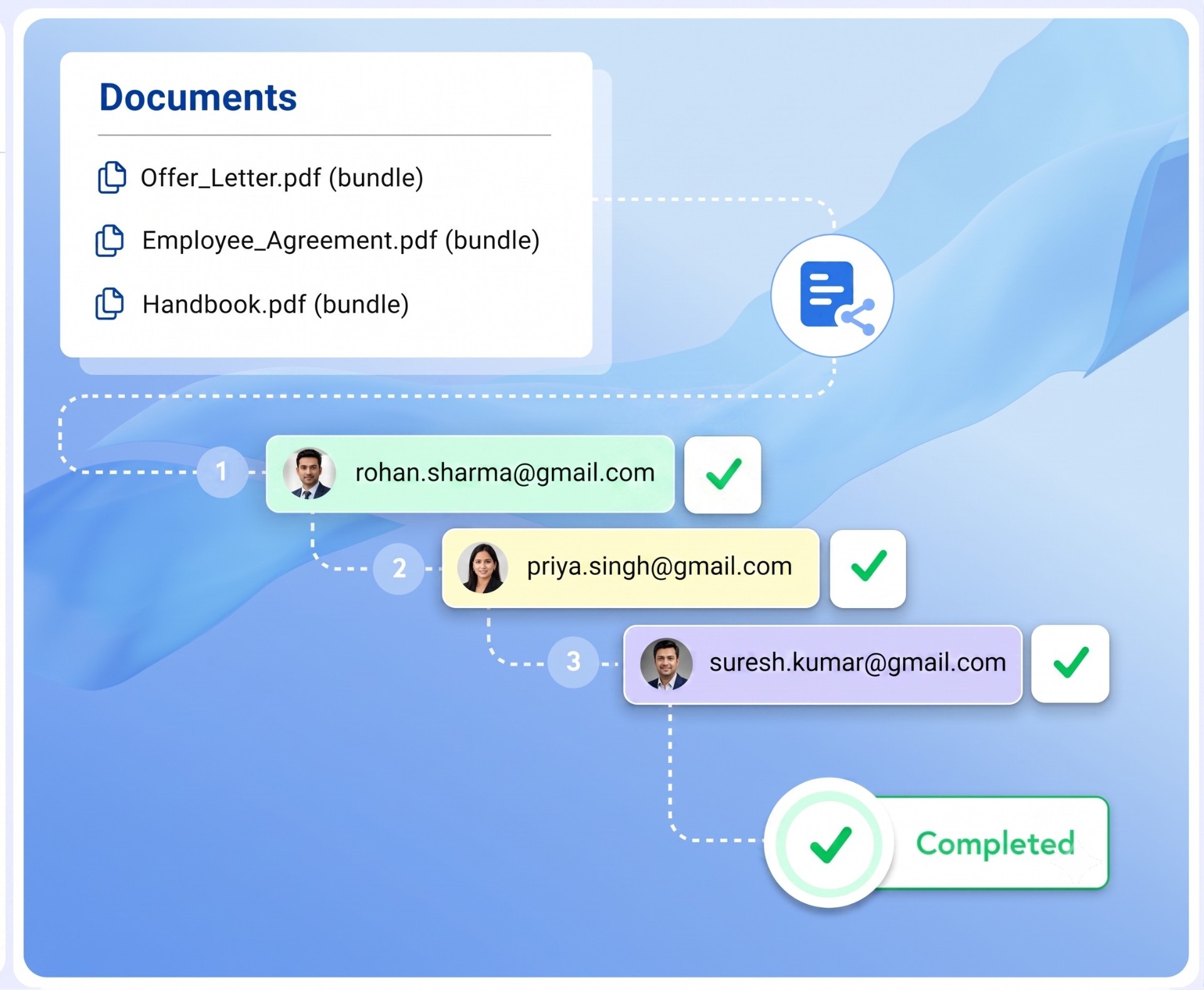
- Send one or multiple documents in a single request
- Choose between sequential or parallel signing flows
- Create and reuse templates for faster document prep
Features That Make E-Signing Effortless
Single Document Sign Request
Send a single document to one or more recipients for quick, secure e-signature.
Multi-Document Sign Request
Bundle multiple documents in one request for faster, streamlined sign-offs.
Flexible Signer Flows
Choose sequential or parallel signing to match your workflow.
Dynamic Placeholder Support
Easily place signature, text, date, and checkbox fields on any document.
Comprehensive Activity Logs
Maintain total visibility. Track exactly who viewed, sent, or signed documents with detailed audit trails — perfect for teams sharing centralized accounts.
Signer Identity Verification
Capture signer geolocation and photo for an extra layer of authenticity.
Custom Template Creation
Save reusable templates with predefined roles and fields to save time.
Auto Reminders & Alerts
Keep signers on track with smart reminders and instant status updates.
Team Management
Add users, assign permissions, and monitor activity across departments.
Document Repository
Access all sent, signed, or pending files in a searchable document management hub.
API Integration & Webhooks
Integrate e-signatures into your tools with powerful APIs and real-time sync.
Self-Hosted Option
Self-hosted deployment for full control over data and privacy.
Dashboards & Reports
Use custom dashboards and automated reporting to visualize document activity and signer behavior.
One-Click Bulk Downloads
Stop downloading files one by one. Export all your completed, legally binding documents instantly in a single batch.
Cloud Drive Auto-Sync
Connect your personal or company-wide Google Drive, OneDrive, or Dropbox. Signed documents automatically sync to your secure folders the moment they are completed.
Syncs with your favorite cloud drives
What customers say
Real teams using eSignRight to move documents, contracts, and approvals forward.
eSignRight helped us to initiate documents easily and get signatures on time. It is user friendly and saves a lot of time.
We've been using eSignRight for more than a year and it is user friendly and saves time. We use it to initiate our internal documents with our employees.
Before, we used various other signing tools, but eSignRight is very helpful and the support team helps us if we have any questions or issues. It is easy to use.
We are using eSignRight since a while. It is easy to use, user-friendly and lets us initiate documents for signatures. We can even create templates and reuse them whenever we want.
eSignRight has made managing global signings incredibly seamless and effortless, significantly cutting down our document turnaround time. The detailed audit trails and automated workflows provide exceptional security and control, making this an indispensable asset for our operations.
Simple pricing. No surprises.
Full audit trail on every plan, including Free Forever.
Full audit trail from day one.
- 1 user
- 10 documents / month
- 3 templates
- Geo + photo capture
- Email support
For small teams starting to standardize.
Everything in Free +
- Up to 3 users
- Unlimited documents
- 5 templates
- Reminders
- Basic audit trail
- Cloud Drive Auto-Sync (Google Drive, OneDrive, Dropbox)
- Advanced Activity & Audit Logs
- Bulk Document Download
Full audit trail, team management, API.
Everything in Starter +
- Up to 5 users
- Sequential & parallel signing
- Unlimited templates
- Team management
- API + Webhooks (Add-on)
- Priority support
- Cloud Drive Auto-Sync (Google Drive, OneDrive, Dropbox)
- Advanced Activity & Audit Logs
- Bulk Document Download
Self-hosted, SSO, custom retention.
Everything in Business +
- Unlimited users
- Self-hosted deployment
- SSO & custom retention
- Configurable verification
- Dedicated onboarding
- Cloud Drive Auto-Sync (Google Drive, OneDrive, Dropbox)
- Advanced Activity & Audit Logs
- Bulk Document Download
Questions, answered.
For standard commercial documents (NDAs, offer letters, vendor agreements), a strong audit trail is generally valid. Courts weigh authenticity, integrity, and timestamp reliability, all of which the audit trail is built to capture. So for anything high-stakes or regulatory, confirm with your own legal counsel.
We're happy to walk through data residency and hosting details directly with your team. Reach out before you commit if this is a requirement for your compliance sign-off.
No. They receive an email with a secure link, click it, and sign directly in their browser.
Yes, on the Enterprise plan. Full control over data location and infrastructure.
Standard retention with export capability. Enterprise customers can configure custom retention and legal hold policies.
See the audit trail for yourself.
Sign a real document in the next 5 minutes. Look at exactly what gets logged. Decide if that's the proof your business needs.